
Free Load Balancer Features
DownloadProgress® Kemp® Free Load Balancer is a fully featured load balancer from Progress that organizations can use without charge in production environments where throughput requirements don't exceed 20 Mbps Layer 7 traffic and for services that don't directly generate revenue. Built on the same codebase as the commercial LoadMaster family, Free Load Balancer delivers enterprise-grade application delivery capabilities. It excels in testing environments, DevSecOps workflows, technical training, for low-traffic websites and non-commercial deployments.
Organizations frequently use Free Load Balancer to evaluate LoadMaster functionality, build development pipelines and create user acceptance testing environments. Many technical users use it to power their home testing, learning and lab networks. The free, unrestricted feature set makes it an ideal choice for developers, IT administrators and hobbyists who need professional-grade load balancing without licensing costs.

Layer 4 - 7 Load Balancer
Free Load Balancer offers in-depth Layer 4 and Layer 7 load balancing, giving complete control over how traffic flows through infrastructure.
- Layer 4 load balancing operates at the Transport layer, routing traffic based on IP addresses and ports using protocols like TCP and UDP. This approach delivers rapid packet routing with minimal overhead.
- Layer 7 load balancing works at the Application layer, inspecting HTTP headers, URL structure, cookies and packet contents to make intelligent routing decisions. This enables advanced features such as content-based routing, session persistence and TLS/SSL termination.
Having both capabilities in a free product means teams can build sophisticated testing environments that mirror production deployments. Development teams benefit from Layer 4's speed for basic traffic distribution while leveraging Layer 7's intelligence for complex application scenarios. This combination means Free Load Balancer can handle everything from simple port-based routing to advanced content switching and application-aware traffic management.
Explore Load Balancing Layer 4 and Layer 7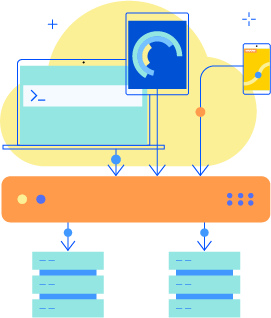
Reverse Proxy
Free Load Balancer includes powerful reverse proxy functionality. It can operate between clients and backend servers to manage, secure and optimize traffic. A reverse proxy intercepts incoming requests and forwards them to appropriate backend resources, such as web or application servers, including Microsoft Exchange.
Using this architecture model provides multiple benefits: it enables load distribution across multiple servers to improve resilience and scalability, offloads TLS/SSL encryption from application servers to reduce their load, caches frequently accessed content for faster response times and adds security layers through traffic inspection and filtering.
In non-commercial settings, reverse proxy functionality becomes invaluable for DevSecOps workflows that require testing application behavior under various conditions. QA testing environments benefit from the ability to simulate production architectures without exposing backend infrastructure. Development teams can use Free Load Balancer as a reverse proxy to validate application changes, simulate failover scenarios and test load distribution before deploying to production environments running commercial LoadMaster instances.
Explore Reverse ProxyEdge Security with SSO and Authentication
Free Load Balancer includes functionality that turns it into a robust edge security solution. It provides authentication and authorization services similar to Microsoft's discontinued Threat Management Gateway (TMG), and helps protect internet-facing applications with multiple authentication schemes.
Organizations can implement single sign-on (SSO) to streamline user access across multiple applications, enforce two-factor authentication for enhanced security and establish pre-authentication requirements before users reach backend services. The load balancer acts as a security gateway, validating user credentials and enforcing access policies before forwarding requests to protected resources. The authentication capabilities help organizations implement zero-trust principles in their testing and development environments without additional security appliances.
For non-commercial deployments, Free Load Balancer enables development teams to test authentication workflows, security teams to validate access controls and operations teams to model production security architectures.
Explore Edge SecurityWeb Application Firewall
Free Load Balancer includes a robust Web Application Firewall (WAF) engine that enables greater protection against common web vulnerabilities and attacks. The WAF operates at Layer 7, inspecting decrypted HTTPS traffic to detect and block malicious requests before they reach backend servers.
Administrators can create custom WAF rules tailored to their specific security requirements or deploy any ModSecurity-compatible rule set. The WAF supports both blocking and detection modes, allowing teams to log security exceptions without interrupting traffic during testing phases.
While Free Load Balancer includes the full WAF engine with unlimited custom rule capability, access to the preconfigured Commercial Rules and automatic rule updates requires a commercial LoadMaster license and support subscription. This approach provides non-commercial users with complete WAF functionality for learning, development, and testing.
Organizations can validate their custom security rules, test application behavior under various attack scenarios and confirm proper WAF configuration before moving to production environments with full commercial rule subscriptions.
Explore Web Application Firewall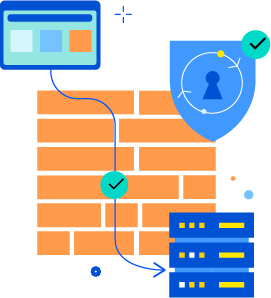
Global Server Load Balancing
Free Load Balancer includes full Global Server Load Balancing (GSLB) functionality, enabling traffic distribution across multiple geographic locations, data centers and cloud environments. GSLB enables users to connect to the nearest or most appropriate server location while providing resilience and scalability across a distributed infrastructure.
This feature might seem irrelevant in a free product targeting smaller deployments, but its inclusion enables teams to replicate complex multi-location architectures in testing environments. Development, Security and Operations teams can model real-world deployment scenarios without requiring commercial LoadMaster licenses. This capability proves invaluable when organizations need to test disaster recovery procedures, validate multi-region failover mechanisms, or test that applications perform correctly when load-balanced across different cloud providers.
Teams can build in-depth testing environments that mirror production GSLB configurations, including health-checking across locations, intelligent traffic steering based on geographic proximity and automatic failover between data centers. This testing capability helps organizations identify and resolve issues before they can impact production systems.